Edit vs Perform
Edit mode is where you build and rehearse a song. Perform mode runs it hands-free on stage, with a clean screen, locked clips and the setlist at your side.
The Arrangement has two modes. You build and rehearse a song in Edit mode. You play it on stage in Perform mode. Knowing the split is the difference between "I made a recording" and "I can play this live".
Edit
Edit is the normal mode. You have the full editing screen: tracks, clips, sections, the timeline, the Inspector and the Node Editor. You record, undo, record again, move clips, choose takes and change effects.
Rehearsals happen in Edit mode too. Most of these docs, such as the concepts, the recording guides and the routing guides, describe work in Edit mode. This is where you build the structure of the song.
Perform
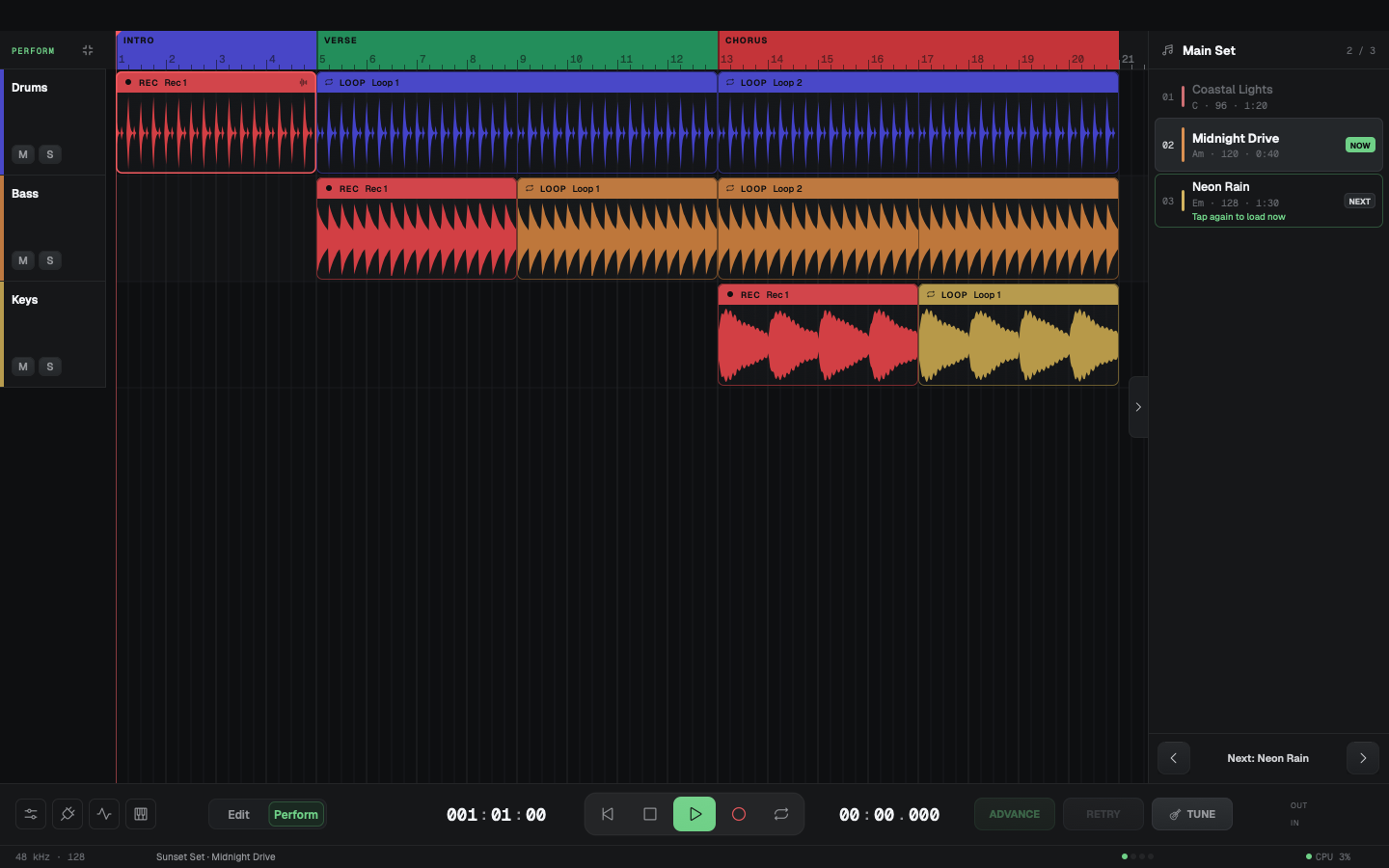
In Perform mode the song runs hands-free. You planned the arrangement, and now it plays. The screen gets out of your way:
- The title bar, the toolbar and the overview strip hide.
- The header above the tracks shows one row with the bars, the sections and the loop regions.
- The track headers show only the name, M, S and the meters.
- The Inspector, the Master row and the automation lanes hide. The automation still plays.
- The clips are locked, so a stray touch cannot move them. When you go back to Edit, the lock is as you left it.
- The bottom bar stays, with the transport, ADVANCE, RETRY and TUNE. PANIC shows there when a clip has a backup take.
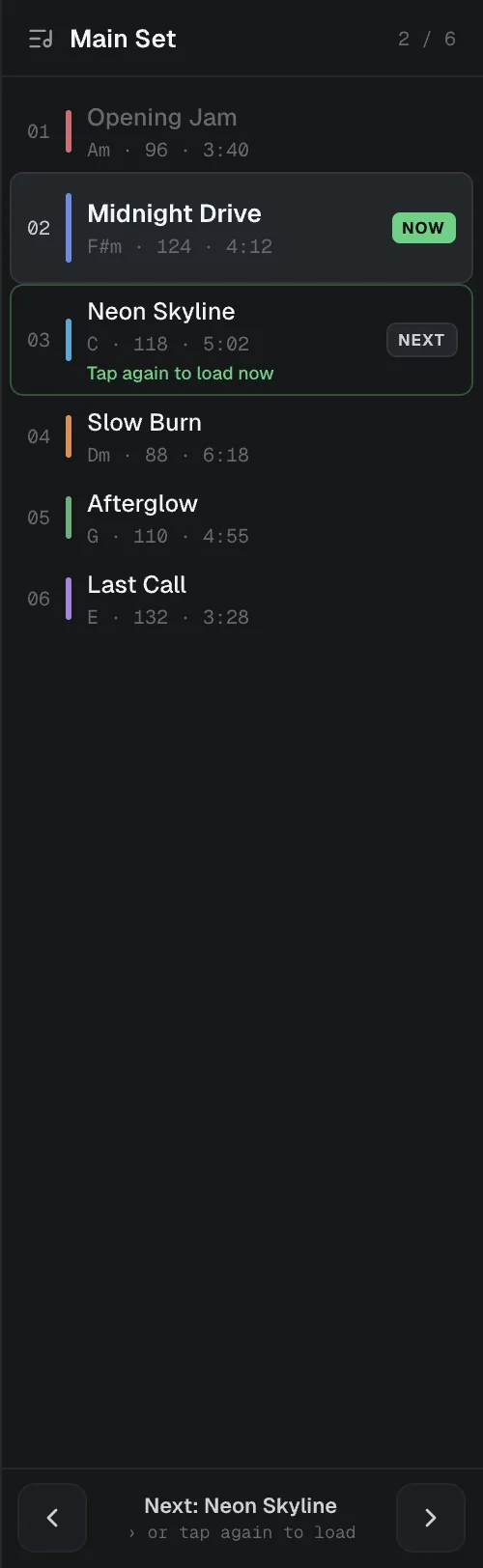
- The right side shows the active setlist. A tab at its left edge hides or shows it.
A song stops by itself when it reaches its end, so the room hears your reverb and delay tails fade away. The end is where the last clip or the last section ends, whichever is later, rounded up to a whole bar. A song does not stop there while a loop region holds, while the transport loop is on, or while you record. If you press Play at or after the end, the song starts again from the beginning.
Switch modes
- Click Edit or Perform in the bottom bar.
- Choose View → Perform Mode, or press ⌘E (Ctrl+E on Windows and Linux).
Perform mode exists only in the Arrangement. The app goes back to Edit mode when:
- You leave the Arrangement, for example to the Setlist view or Home.
- You open a song in any way other than from the Perform setlist.
A song that you load from the Perform setlist stays in Perform mode. This includes a tap on a song, the ‹ and › buttons, and the Next Song and Prev Song MIDI targets.
The app always starts in Edit mode. It does not save the mode when you quit.
Why the split exists
A loop pedal has one mode: record, layer and hope. A DAW has one mode too: edit, render and play back. Looper Studio has two. You build the structure in Edit mode, then you play it in Perform mode. That is what structured live looping means in practice.
Related
Setlists
A setlist puts a project's songs in show order. Edit it in the Setlist view, then step through it in Perform mode with taps or a MIDI footswitch.
Guides
Step-by-step guides for recording, live performance, routing, mixing, import, export, save points, templates and Cloud Sync. One task per page.